
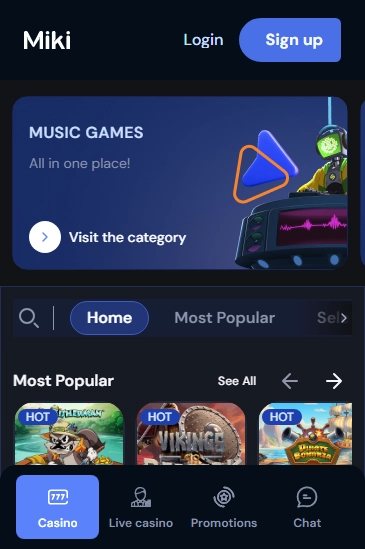
Miki Casino iOS App Download from the App Store
For iOS users eager to enjoy casino games on the go, downloading the Miki Casino app from the App Store is a straightforward process. Before you begin, ensure your device is running iOS 12 or later for optimal compatibility. The app provides a secure environment for gaming, ensuring your personal data remains protected. Follow these steps to download and install the app on iOS:
- Open the App Store on your iPhone or iPad.
- Search for "Miki Casino app" in the search bar.
- Select the app from the search results and tap the "Get" button.
- Authenticate the download using Face ID, Touch ID, or your Apple ID password.
- Wait for the installation to complete, then tap "Open" to launch the app.
Once installed, you can log in with your existing Miki Casino account or sign up for a new one directly through the app. The intuitive interface makes it easy to navigate through your favourite mobile blackjack and roulette games. Using the Miki Casino app on your iPhone or iPad offers the convenience of playing anywhere, anytime, with a user-friendly interface designed specifically for iOS devices.
Miki Casino Android APK: Secure Download & Install
Android users can download and install the Miki Casino APK safely by following a few essential steps. This process ensures that your device remains secure and performs optimally while accessing the exciting features of the Miki Casino apk.
- Visit the official Miki Casino website to download the APK file.
- Navigate to your device's settings and enable "Unknown Sources" to allow installation from sources other than the Play Store.
- Locate the downloaded APK file in your file manager and tap to begin the installation.
- Follow the on-screen prompts to complete the installation process.
- Once installed, open the app and log in to enjoy gaming.
It is crucial to download the APK from the official website to avoid any security risks. The permissions required will typically include access to storage for saving game data and possibly access to device information for optimal performance. Unlike the Play Store, where updates occur automatically, APK updates require manual downloading and installation. Regularly check for updates on the official website to ensure you have the latest version and security features. By following these steps, you ensure a secure and efficient gaming experience with Miki Casino.
Miki Casino Exclusive Mobile Promotions
Discover the exclusive mobile promotions at Miki Casino available only to app users. Enjoy unique welcome bonuses, ongoing offers, and VIP rewards tailored for mobile users. With these promotions, you can boost your gaming experience and winnings. Terms and conditions apply, so ensure you read them carefully. These offers are time-sensitive, so act quickly to maximise your benefits. To activate these promotions, simply download the app, register, and follow the instructions provided.
- Welcome bonuses for new players
- Ongoing exclusive offers
- VIP rewards for loyal users
The Miki Casino mobile app is designed to provide an enhanced gaming experience with a focus on user convenience and rewards. Whether you are a new player or a seasoned VIP, the app offers something for everyone. Take advantage of these promotions today and elevate your gameplay.
Miki Casino Troubleshooting & Support on Mobile
Experiencing issues with the Miki Casino app on your mobile device can be frustrating, but there are several common issues and solutions that can help get you back to your gaming quickly. If you're facing loading errors, ensure that your internet connection is stable. Switching between Wi-Fi and mobile data might help in resolving this. Additionally, clearing the app cache can often solve persistent loading issues.
Update failures can occur if your device doesn't have sufficient storage space. Make sure there's enough room for the update by deleting unnecessary files or apps. If the problem persists, try uninstalling and then reinstalling the app. This can often resolve issues related to corrupted files.
Login problems are another common issue. Double-check that your login credentials are correct. If you've forgotten your password, use the password recovery option for assistance. Ensure that the app is up to date, as outdated versions may cause login difficulties.
Miki Casino provides various support options to assist you. Users can access live chat for immediate assistance, or opt to send an email for more detailed inquiries. Both support methods are designed to address user concerns promptly and effectively.
User feedback plays a crucial role in the ongoing development of the Miki Casino app. Feedback is actively sought and analysed to improve the overall user experience. Suggestions and reports are reviewed by the development team, and updates are regularly rolled out to address common issues and integrate user-suggested enhancements.
Whether you are experiencing technical difficulties or need assistance with your account, Miki Casino ensures a robust support system is in place to help. By following these troubleshooting steps and using the support available, you can enjoy a seamless experience on the Miki Casino app.



 Bonus
Bonus